Kubernetes · TUI · kube-rs · Rust
A fast, simple dashboard for Kubernetes.
Watch and manage your cluster from a keyboard-driven terminal UI, without leaving the shell to run kubectl.
curl -fsSL https://kdash-rs.github.io/install.sh | sh brew install kdash-rs/kdash/kdash yay -S kdash irm https://kdash-rs.github.io/install.ps1 | iex scoop bucket add kdash-bucket https://github.com/kdash-rs/scoop-kdash; scoop install kdash cargo install kdash nix run nixpkgs#kdash docker run --rm -it -v ~/.kube/config:/root/.kube/config deepu105/kdash kdash 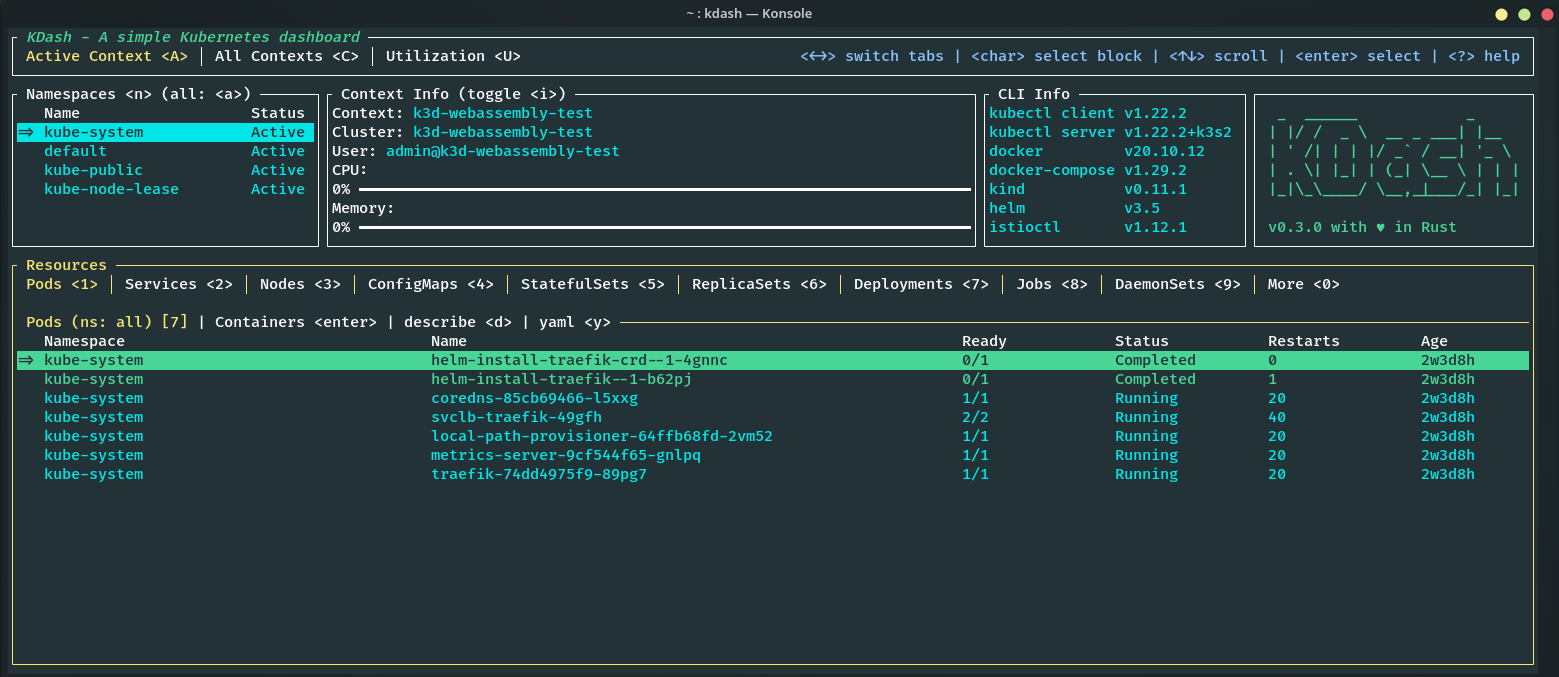
Features
Watch your cluster, and act on it.
KDash gives you a fast, keyboard-driven view of Kubernetes resources, plus the common management actions you reach for. Every impactful change is guarded by a confirmation prompt, with contextual help on every screen.
-
✓
Resource management actions
Delete, edit in
$EDITOR, scale, rollout restart, cordon nodes, and manage CronJobs from an action menu (m), or shell straight into a container. Impactful changes are guarded by a confirmation prompt. -
✓
Browse every resource
Pods, deployments, nodes, configmaps, jobs, events, and CRDs in a tabbed, keyboard-driven view with live resource watch. Drill from workloads to pods to containers, filter any view with
/, and reveal every column withw. -
✓
Logs, describe, and YAML
Stream container logs with timestamp and line-wrap toggles, aggregate logs across a workload's pods, and describe or pull YAML for any resource with copy to clipboard.
-
✓
Port-forward without leaving
Forward a Pod or Service with
f, then list and stop active forwards withShift+F. Forwards run in the background and stop cleanly when you quit. -
✓
Cluster metrics and utilization
Node, pod, and namespace utilization from metrics-server, with grouping and a cluster summary pane. CLI info shows local tool versions at a glance.
-
✓
Troubleshoot and switch fast
Severity-ranked findings for Pods, PVCs, and ReplicaSets with drill-down, plus live context and namespace switching as your kubeconfig changes.
Screenshots
A look around the dashboard.
Every view shares one Catppuccin Macchiato palette, the same theme KDash ships by default in the terminal.
-
Tabbed resource view with namespaces, context, and CLI info.
-
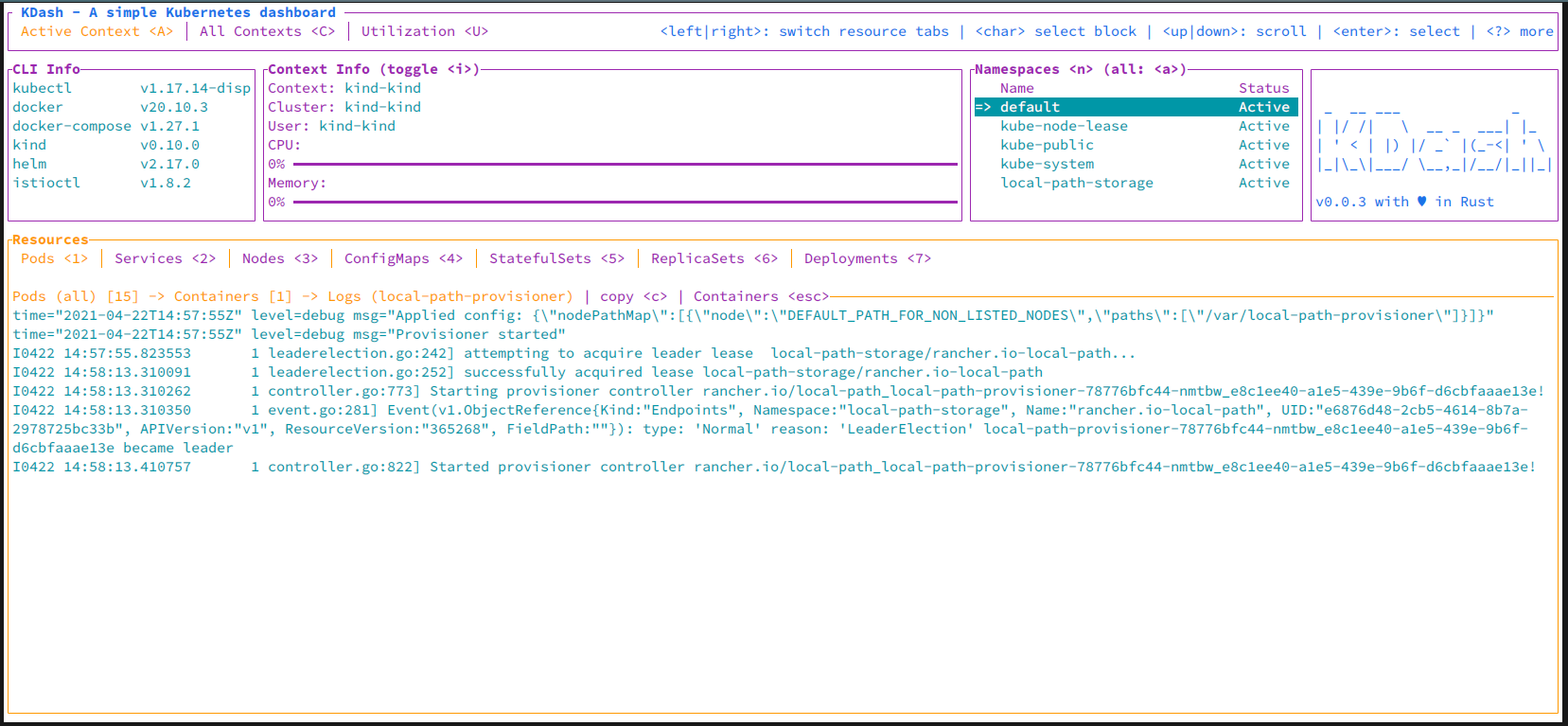
Live log streaming with timestamp and line-wrap toggles.
-
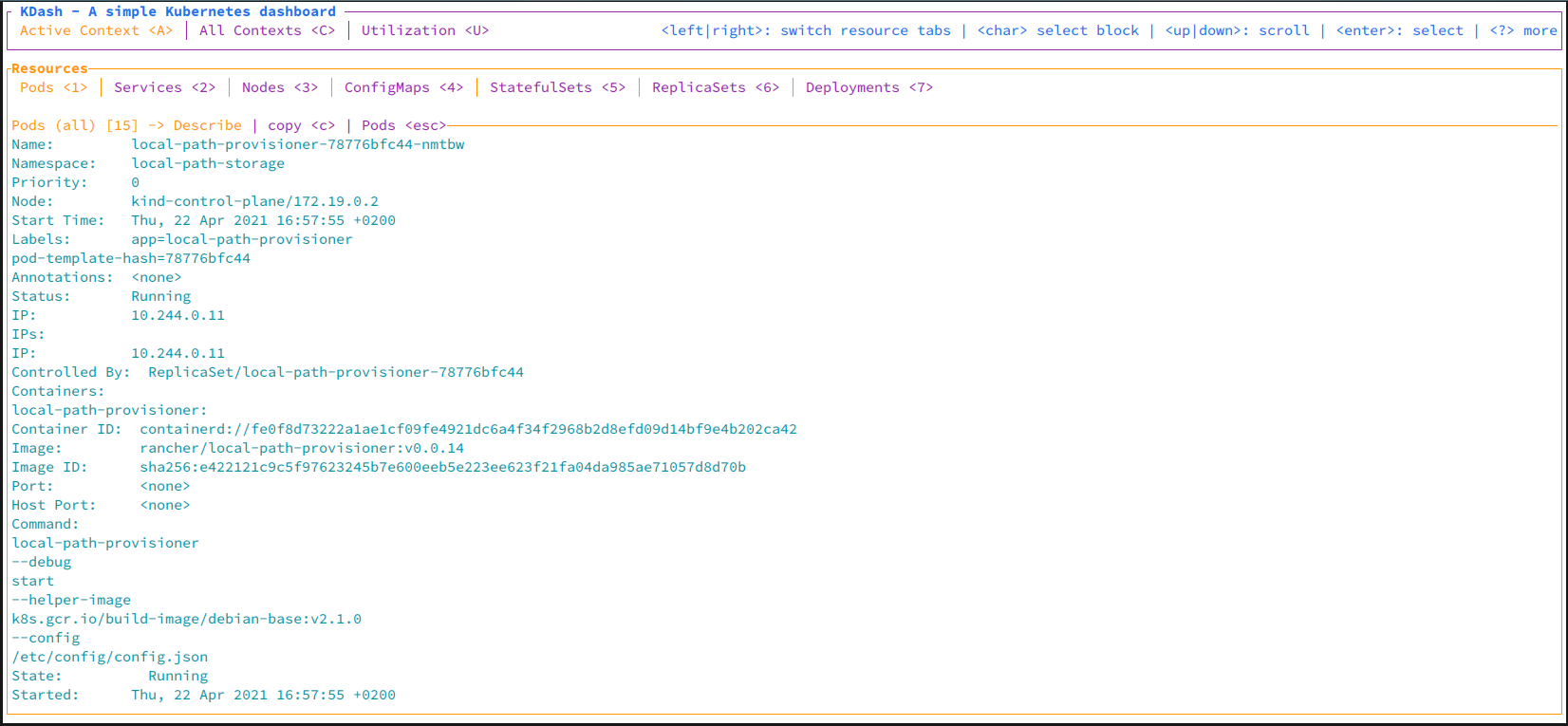
Describe any resource with syntax highlighting and copy.
-
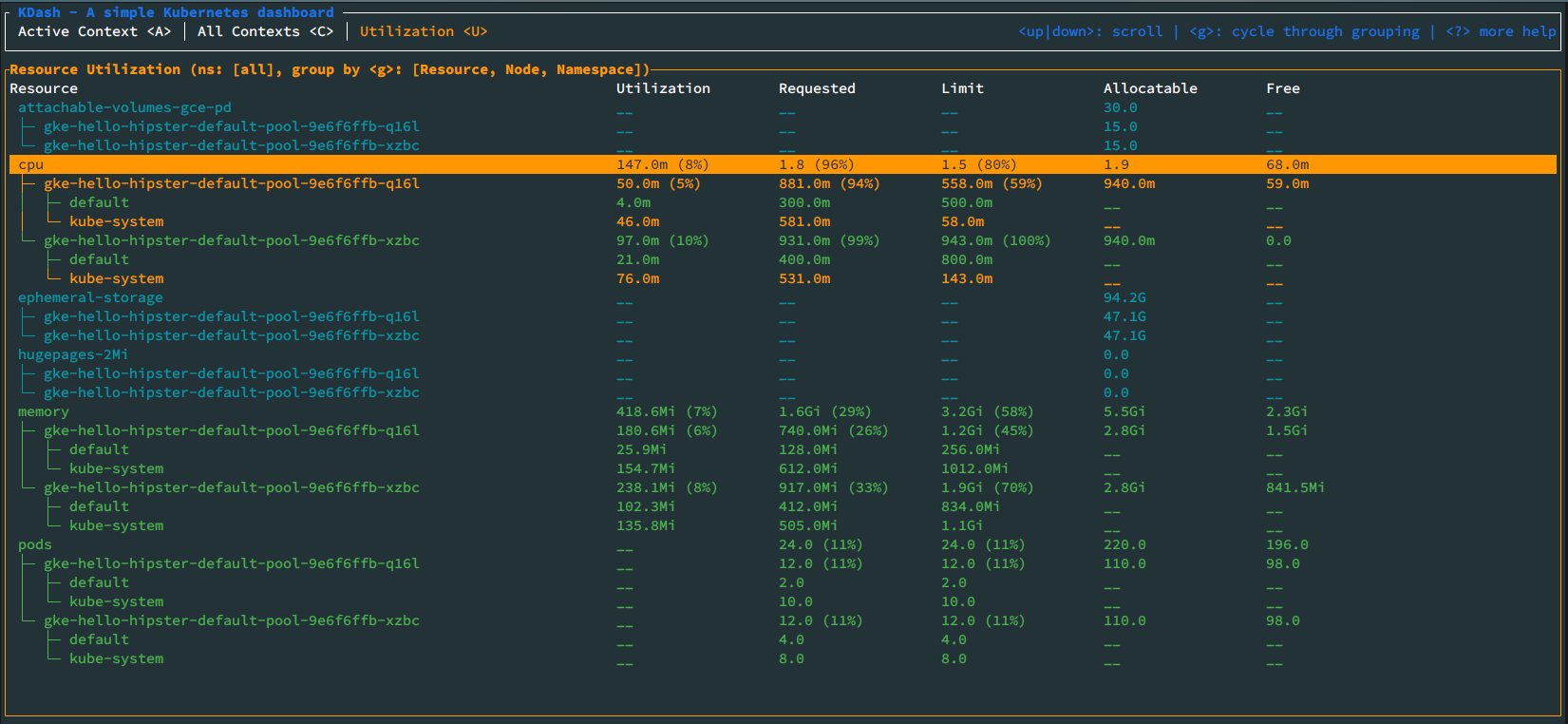
Node, pod, and namespace metrics with a cluster summary.
Why KDash
Speed and good UX, by design.
KDash is for people who live in the terminal and want a clear, fast window into Kubernetes. No heavy GUI, and no reaching for long kubectl commands for the things you do all day.
It stays focused: browse resources, read logs and describe output, check utilization, and run the common management actions, all from a layout that is quick to learn and quick to drive.
-
Fast and lightweight
Built in Rust on ratatui and kube-rs. Quick startup, low overhead, and snappy navigation, with resource watch keeping the view current as the cluster changes.
-
Keyboard-driven
A tab system to jump between resource types, vim-style movement keys, and contextual help on every screen. Press ? anywhere to see the keybindings.
-
Read and act in one place
See resources and run the common actions without leaving the dashboard: delete, edit, scale, rollout restart, cordon, manage CronJobs, and port-forward, each with a confirmation prompt.
-
Works with your kubeconfig
Switch contexts and namespaces live. KDash watches your kubeconfig and keeps context and namespace state in sync without a restart.
Sponsors
Support KDash.
Sponsorship keeps KDash maintained and moving. If it saves you time, consider supporting its development.
FAQ
Common questions
-
What is KDash?
A fast, simple terminal dashboard for Kubernetes, built in Rust with ratatui and the kube-rs client. It gives you a keyboard-driven view of your cluster (pods, nodes, workloads, events, and more) plus common resource actions, without leaving the terminal. -
Can it change resources, or just view them?
Both. As of 2.0, KDash can act: delete, edit in your $EDITOR, scale, rollout restart, cordon and uncordon nodes, suspend/resume/trigger CronJobs, and port-forward. Everything runs from an action menu (m), with confirmation prompts on impactful changes. -
What platforms does it support?
macOS (x86_64, arm64), Linux GNU and MUSL (x86_64, armv6, armv7, aarch64), and Windows (x86_64, aarch64). Prebuilt binaries are on the releases page, plus a one-line install script (curl | sh, or irm | iex on Windows) and installers for Homebrew, the AUR, Scoop, Chocolatey, Cargo, Nix, and Docker. -
Do I need kubectl or anything else?
KDash uses your existing kubeconfig and contexts. Some views shell out to kubectl (describe, top), so having it on your PATH helps, and the utilization view needs metrics-server deployed on the cluster. -
Can I customize it?
Yes. KDash supports config-based keybinding and theme overrides, ships five built-in themes you can cycle at runtime (t / Alt+t), and lets you tune the initial log history fetched before live streaming. -
Is it open source?
Yes, MIT licensed. Source at github.com/kdash-rs/kdash. Issues and PRs welcome.